
My experience talking in conferences
Summary
After giving two conference talks in 24 hours, I want to share my thoughts and process. This article shares practical experience: starting with meetups, choosing topics, designing slides, testing equipment, and handling post‑talk conversations. Key takeaway: practice more than you think you need, and visit the venue early.
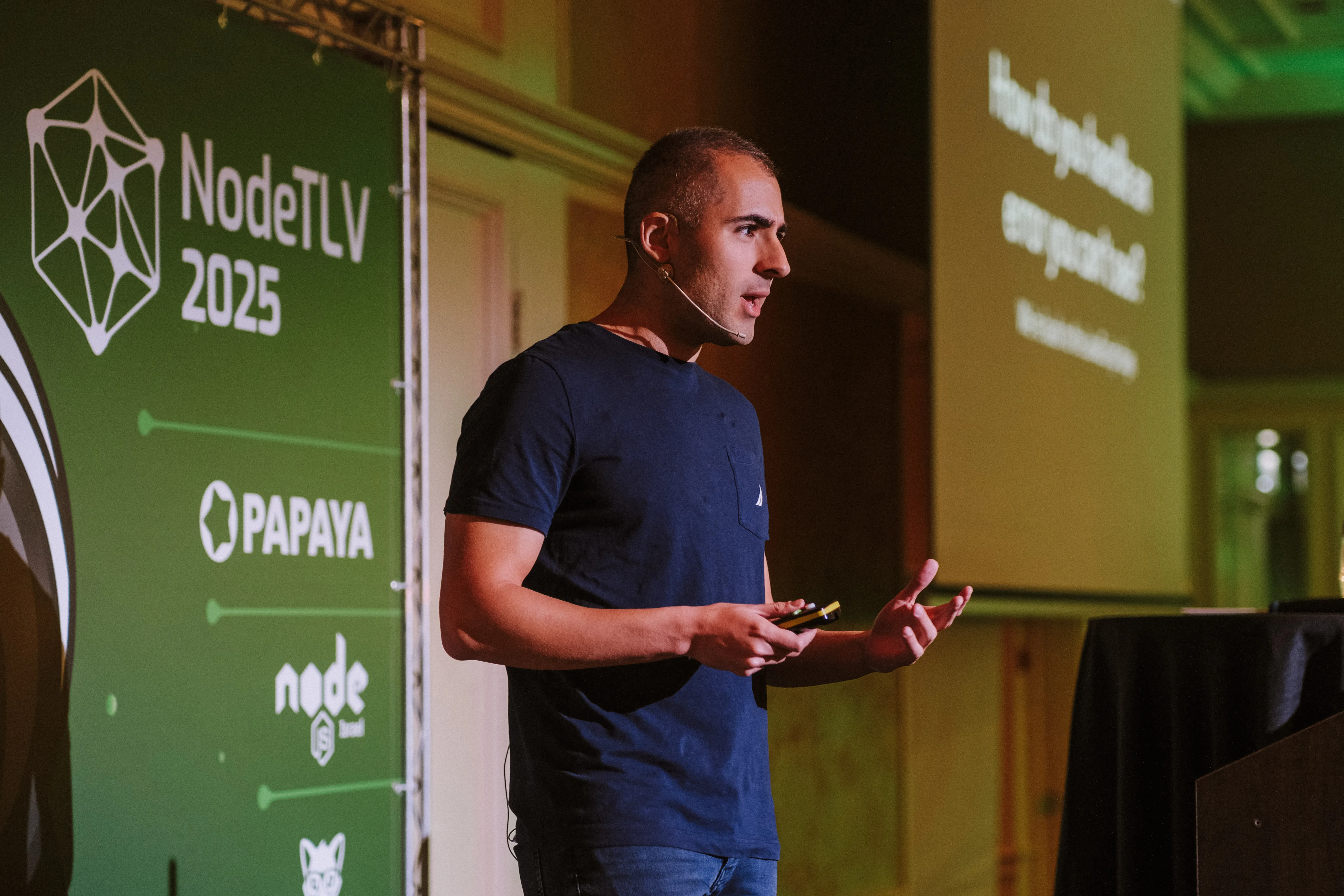
Recently I delivered two conference talks within 24 hours—one at ReactNext and another at NodeTLV. Standing on stage and looking at the audience, I realized how far I’d come after more than a decade of only attending meetups. If you’re thinking about speaking at a conference but don’t know where to start, here’s what I learned.
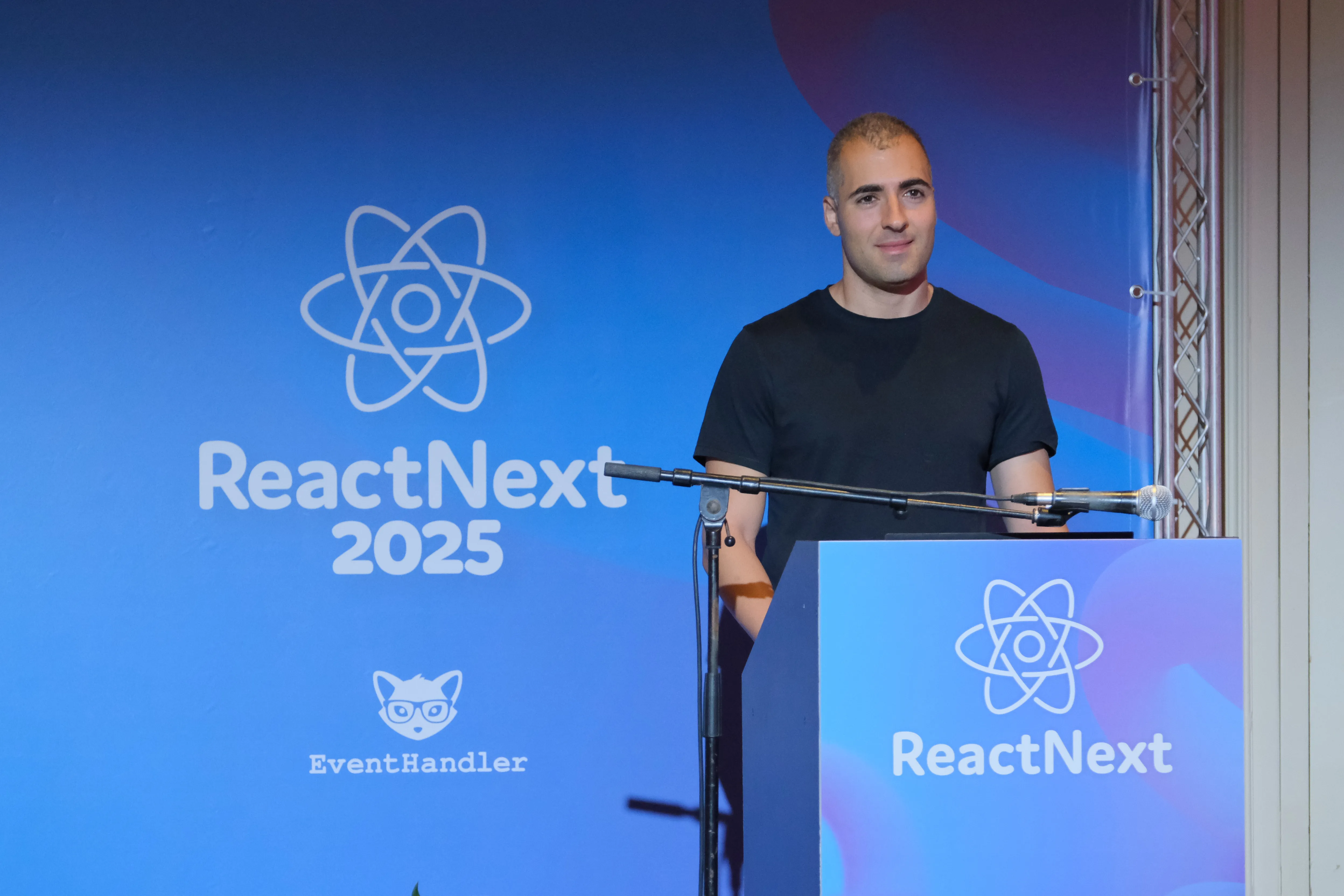
Why Speak at Conferences?
Before discussing how, consider why you should speak. It’s enjoyable and professionally rewarding. Speaking at conferences is more than standing on stage—it’s a chance to give back to a community, demonstrate your expertise, and spark conversations that expand your thinking.
While attending conferences can lead to useful encounters, presenting creates different opportunities. People engage with speakers differently, which often leads to deeper, more focused post‑talk conversations about ideas, workflows, and careers.
There’s also a personal‑branding benefit: speaking positions you as both a practitioner and a communicator. It may not create an immediate spike in followers, but the lasting value is in the relationships, feedback, and professional credibility you gain.
Getting Started: The CFP Process
Start with Meetups
Before jumping into conferences, practice at local meetups. They’re lower stakes, smaller audiences, and great for testing content and seeing reactions. Meetups are also ideal for experimenting with audience interaction—asking questions, getting live feedback, and adjusting on the fly.
Once you’re comfortable there, conferences become much less intimidating. The meetup community is often your first group of cheerleaders when you try bigger events.
Choose Topics You Actually Care About
Don’t pick a topic because it’s trendy. Pick something you’d genuinely want to hear. I chose 3D on the web because I wished someone had given that talk when I was starting out. The leap from “I have no idea” to “I can make cool things” is surprisingly small, but intimidating from the outside.
I also chose Effect.ts because teaching is the best way to learn deeply. I had been using it in a side project (PR splitter) and submitting a talk forced me to dive deeper than I would have otherwise. The best topics answer: “What problem does this solve, and what value am I giving?”
Writing Your CFP
Use AI to refine your proposal, but be specific about what you want to say. I used ChatGPT, told it exactly what I wanted to convey, and asked it to distill the wording. Frame your proposal around:
- What’s the problem?
- What value are you providing?
- What’s the one core message?
Practical tip: 15‑minute talk slots are often easier to get than 25‑minute slots. They’re more flexible for organizers and fewer people apply for them.
If you get accepted, congratulations—that means your talk fits the conference. Now build it.
Preparation: Where Success Really Happens
You probably know what a good talk looks like (example). You can choose your style. Some speakers do live coding, others use demos, and some rely on slides. Try to take inspiration from speakers you admire. I prefer slides with embedded demos. Slides help structure the talk, while demos keep it engaging and practical. If you do live coding, practice it a lot, and have backup plans - git branches for the steps, and screenshots or a video of the final results.
When I started to prepare the talk after the CFP acceptance I wanted to fulfill what I promised in the proposal. So I focused on delivering practical value and actionable insights. Then I started building the slides in a repeatable process of drafting, practicing and refining. I used AI a lot to help me write and organize the content, but the core ideas and structure came from my own experience.
Slide Design: Keep It Simple and Bold
Slides should be cues, not scripts. Power titles—short, bold statements—capture the core idea of each section. A few words usually remind me what I want to say.
Use supporting elements sparingly: small code snippets, images, or brief bullet points. Sometimes a slide is just a question to engage the audience or a meme to reset attention. The goal is focus.
The About Me slide stays intentionally short—only essentials. End with a Thank You slide that includes contact details and a QR code to the slides for clear closure.
Try to achieve three goals in your talk: Inspire, Educate, Entertain.
Structure Matters
A good deck has a clear flow:
- Start with the agenda, premise, or core concept.
- Add a brief About Me slide (before or after the agenda).
- Move into the main content: the “meat” of the talk.
- End with a summary and a clear call to action.
That ending is important—close the loop by connecting back to the premise and showing what the audience can do differently.
Design Principles
- Don’t overcomplicate slides
- One idea per slide—split complex topics across multiple slides
- If showing code, highlight only the important parts
- Keep diagrams simple and easy to parse
- Reduce distractions—less is almost always better
One piece of advice stuck with me:
“If you can make the font bigger, make it bigger.”
Simple, bold slides let the talk—not the deck—do the heavy lifting.
Slidev: My Presentation Tool of Choice
Slidev became my tool of choice—it’s Markdown‑based, supports beautiful animations, embeds code, and offers extensive configuration.
Slidev features that stood out:
- Markdown editing — easy to write and iterate quickly, especially with AI assistance
- Code features — syntax highlighting, magic‑move transitions, line highlighting, Monaco editor integration
- Interactive elements — embed components, iframes, even custom editors (I built a Sandpack integration for live 3D coding)
- Animations and interactivity — create engaging, dynamic presentations
- Recording and deployment — built‑in tools to record and deploy anywhere
It does not matter what tool you use, but pick one that lets you focus on content and delivery, not fighting the software. If it’s not on the slides, it probably isn’t essential. Remember: the audience is there to hear you, not read your slides.
Practice with Friends and Alone
I did a lot of online feedback sessions with friends. Especially with Ariel Shulman (who’s an experienced speaker). Getting feedback from others is invaluable. They can point out unclear sections, pacing issues, or engagement problems that you might miss. Next time I’ll try to do more in-person practice sessions.
Dry Runs
I tried to do some dry runs. This helped me progress and practice. When I practice dry-runs I discover some issues and refined the slides. My process:
- Record yourself alone — use OBS, your phone, whatever works. Watch the recording and listen to it in different contexts.
- Practice without speaker notes — slides should remind you what to say, not contain your full script.
- Get feedback from real people — find someone who’ll give honest feedback. Practice with another person is invaluable.
- Repeat — each iteration improves delivery.
Visit the Venue
Go to the venue the day before—this was game‑changing.
Testing the Setup
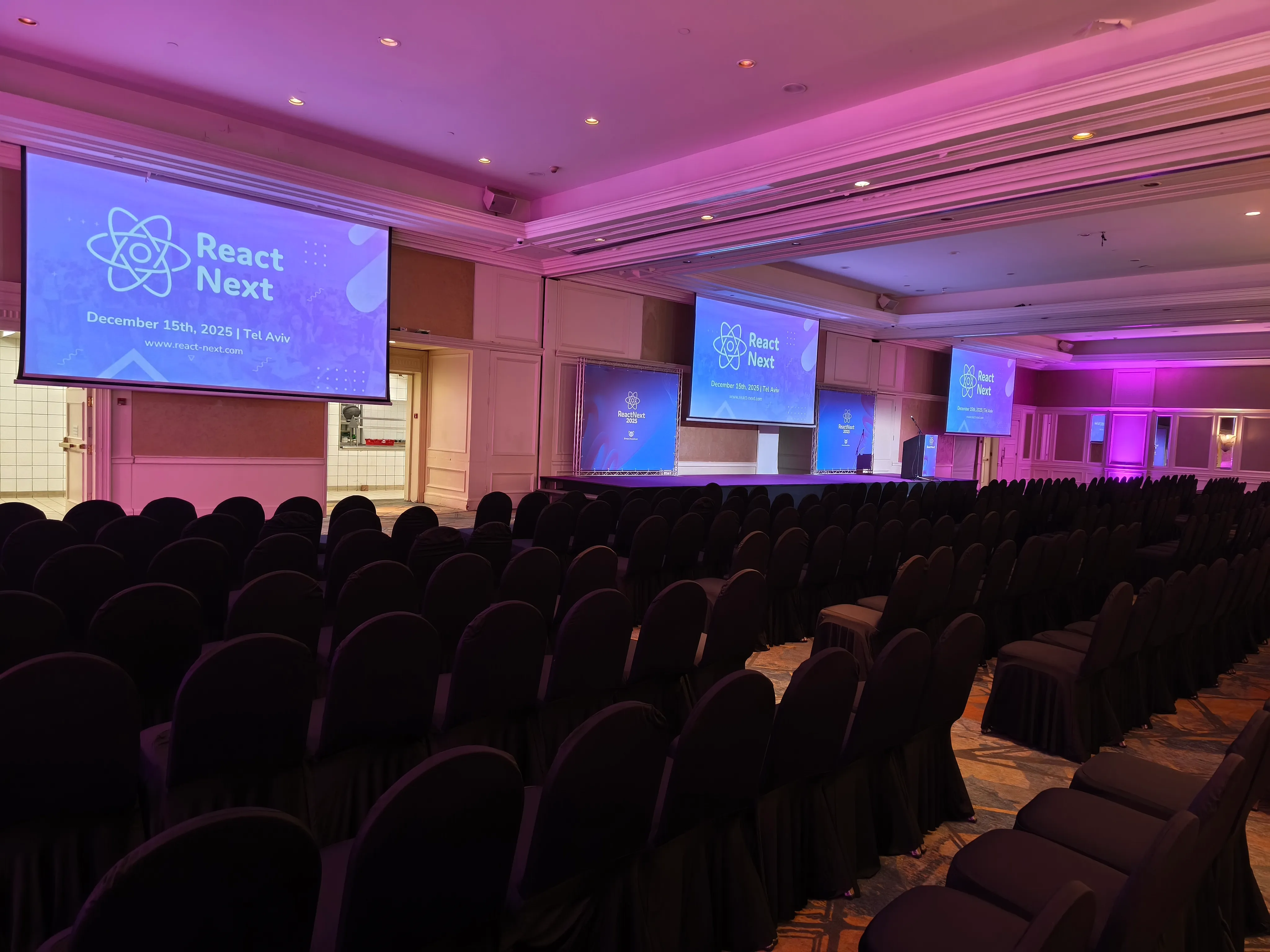
The conference hall was a wide space with three projectors.
Organizers recommend using their machine. I would recommend it for slides‑only presentations. Live coding and demos become harder when you don’t know the machine’s configuration so in that case I will recommend using my computer.
I’m happy that I tested my slides on their computer. I could have my 3D talk using their computer (with live coding on the slides thyself), but their Windows machine conflicted with my muscle memory for my MacOS shortcuts (⌘ vs ctrl for copy‑paste). So I decided to use my laptop for the 3D talk.
Initially I planned to use my laptop for slide control, but their presenter remote worked with both machines. Slidev supported it out of the box. A remote lets you walk around the stage instead of standing behind your laptop.
Visual Testing
I took photos from the back of the room to check slide visibility. See how slides look from afar and on the projector with real lighting. Some slides were hard to read due to gradient backgrounds and faded text.


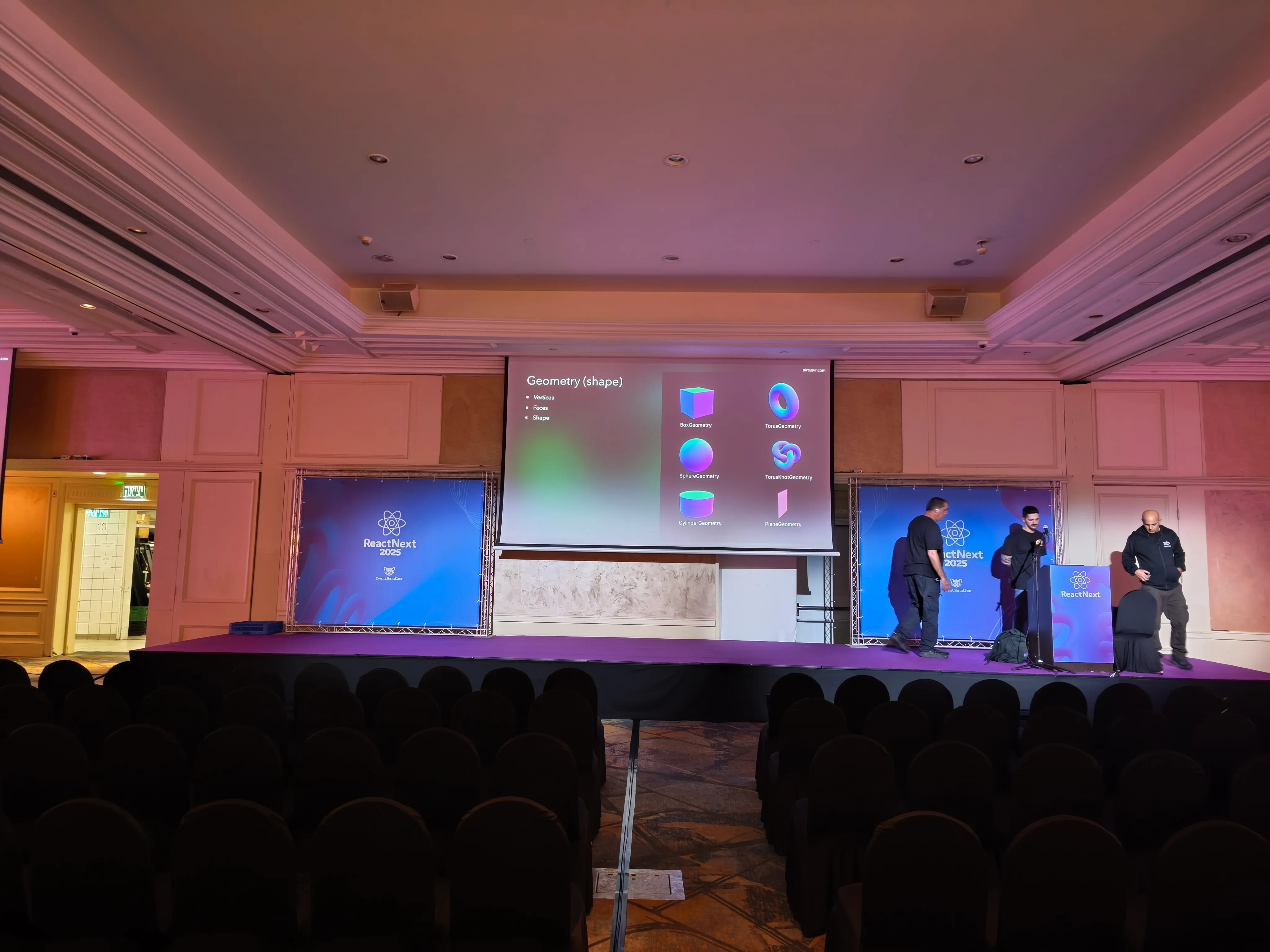
Especially this code slide:
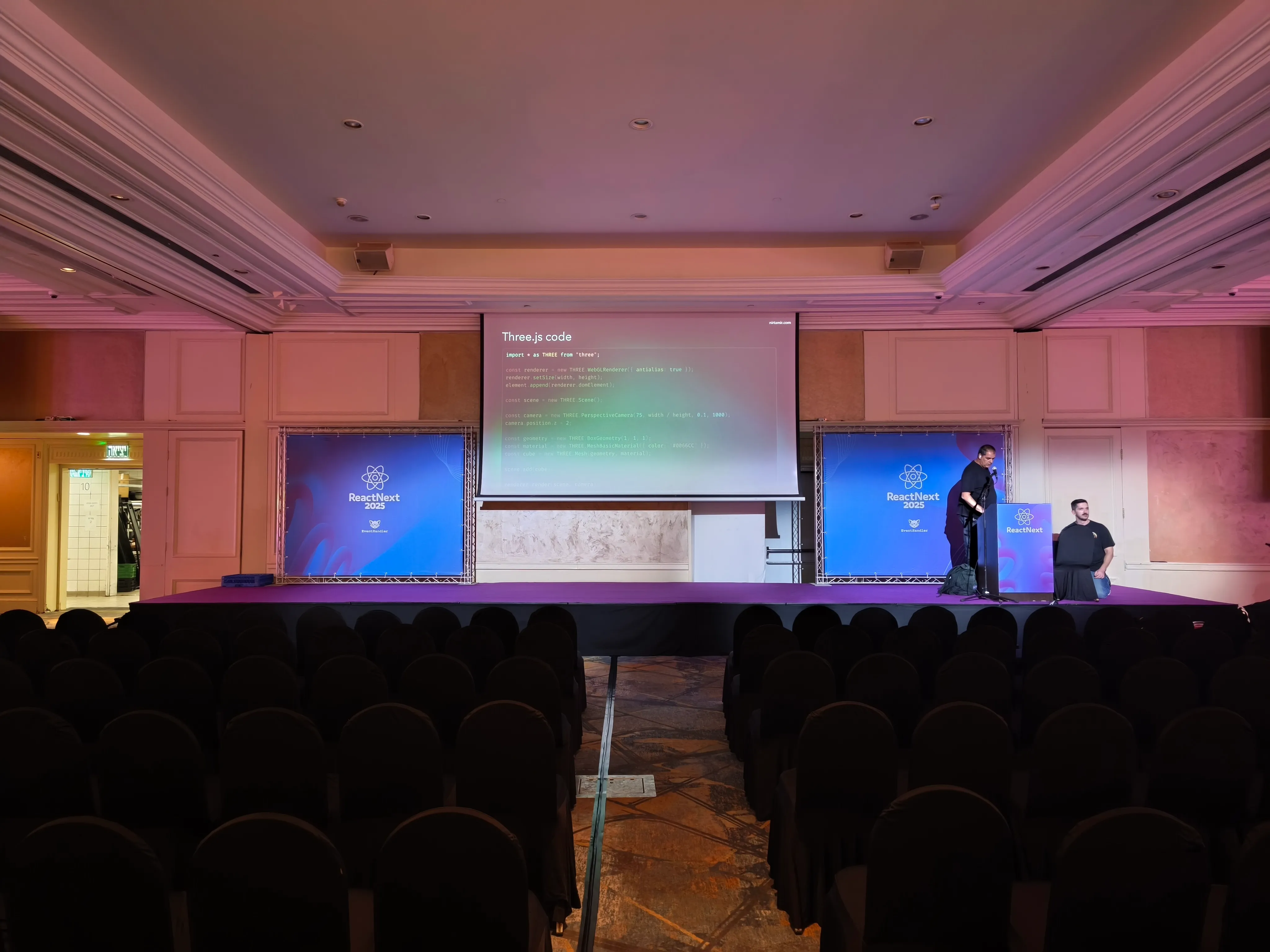
The live code demo looked good but needed a larger font.
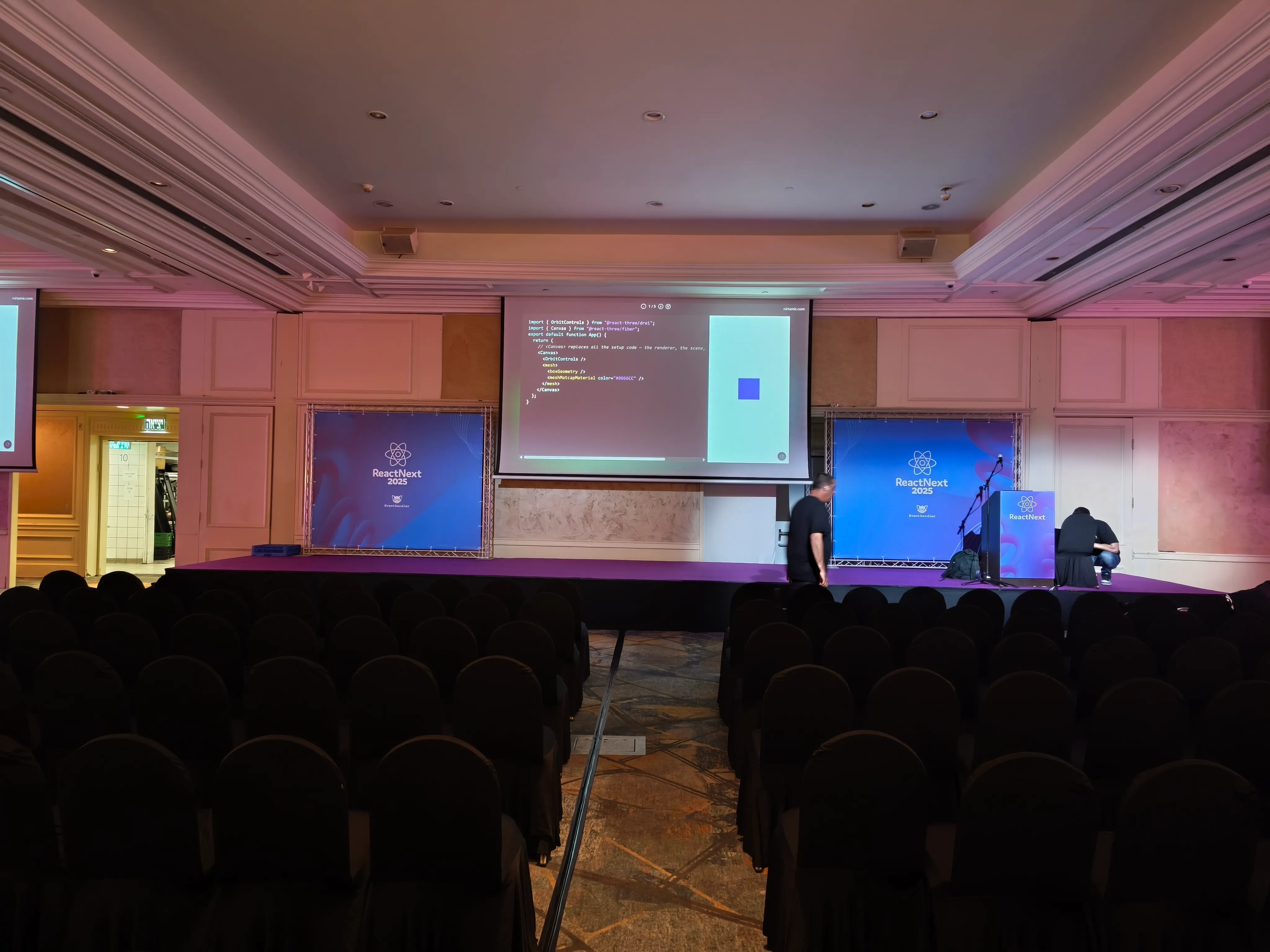
Because I took these photos, I could fix issues before the talk. I changed the gradient background to a solid color and increased font size after these tests.
Display Configuration
I configured my machine for the projector and took a photo to ensure consistency during the talk.
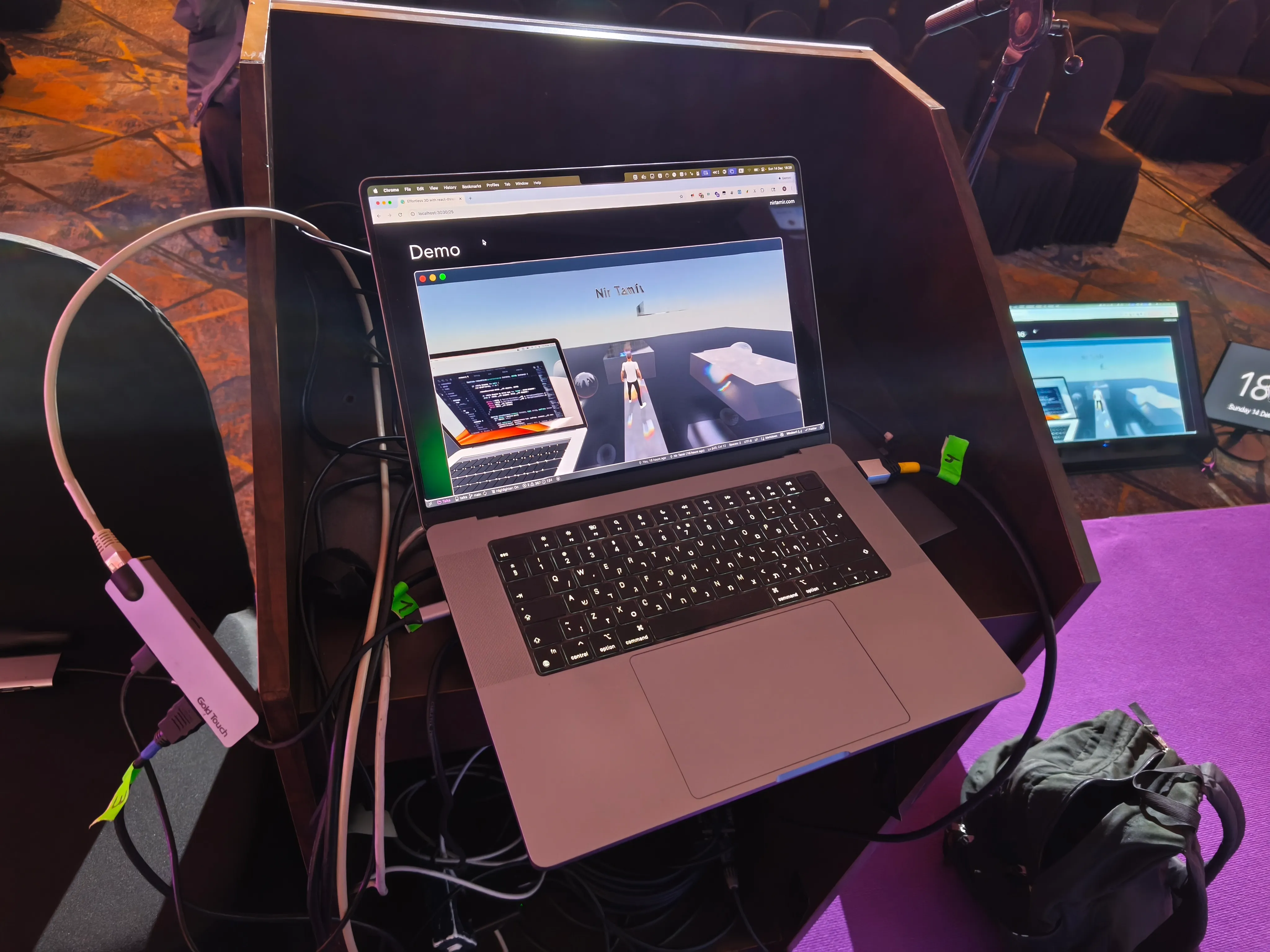
Three screens sat at the stage: slides, speaker view, and a timer. Resolution didn’t match my laptop’s aspect ratio, so I manually positioned the browser window.
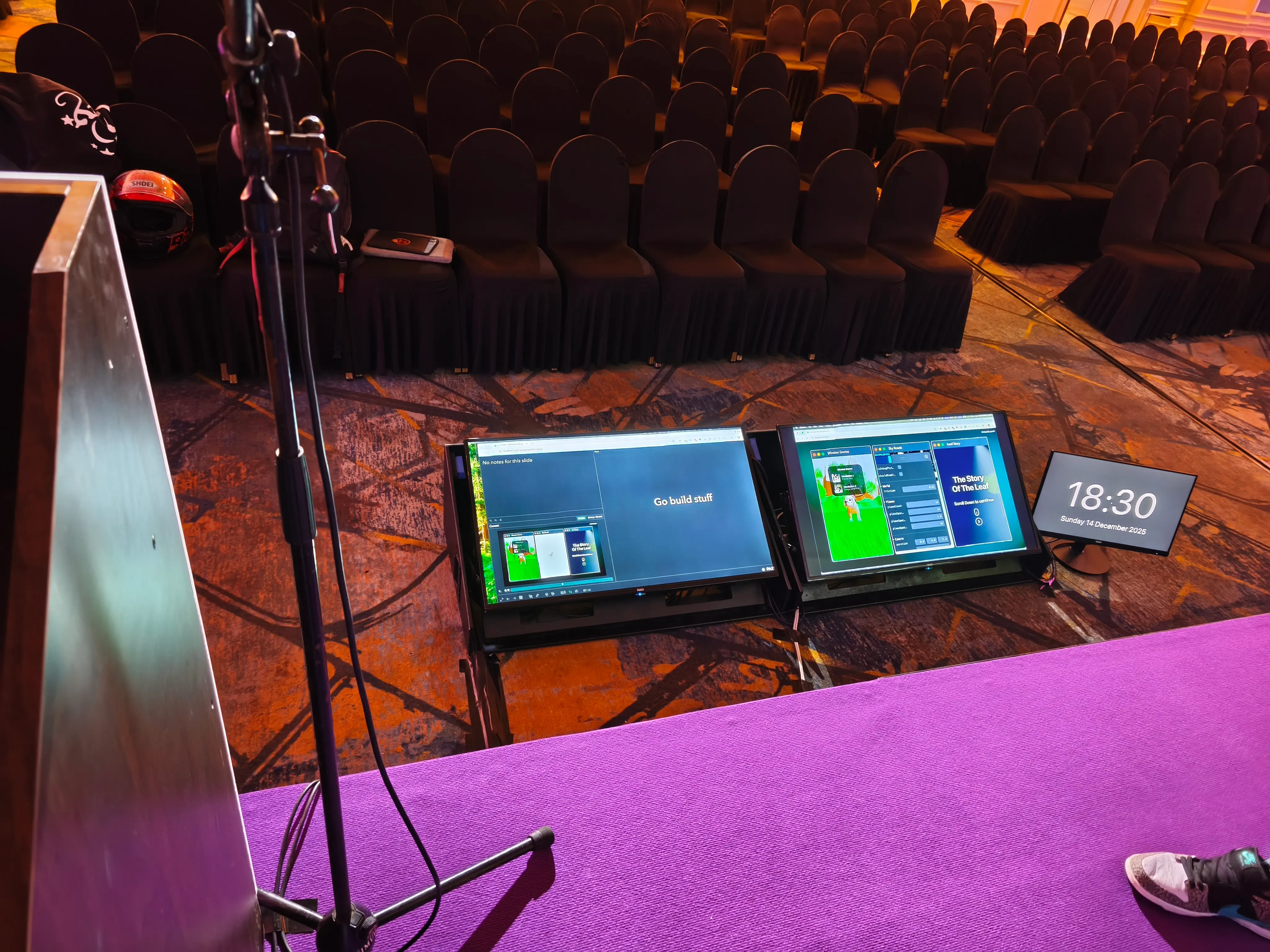
Speaker notes font was too small even at maximum. I injected CSS using a browser extension to create more space:
.grid-container.layout2 {
  grid-template-columns: 6fr 2fr !important;
}
Next time I’ll do a full practice run standing and speaking in the actual space. That’s the best preparation—you’ll already know what to expect.
On Stage: Presence and Delivery
Everyone fears this part, but it’s just another skill to practice. Preparation builds confidence—like school tests: good preparation leads to calm. Key considerations:
Remember: The Audience Is With You
The audience is there to support you. They want you to succeed. They won’t know what you intended to say. You can always improvise.
Eye Contact Matters
One piece of feedback hit hard: “Look at the audience more.” The audience came to see you, not just the slides. Eye contact matters most in the first few minutes when you set the tone.
Your Body Language
After watching a video my friend sent me, I noticed I looked too serious and moved my free hand too much. Not wrong, but worth awareness. Keep your non‑clicker hand purposeful or relatively still. Stand tall, don’t hunch, and avoid hiding behind the podium. Next time I should take a video of myself on stage to self‑review before the talk.
Have fun - Enjoy the Moment
Enjoy the experience. Smile, feel free and relaxed, and engage with the audience. Your enthusiasm is contagious. I was a little nervous at first, but once I got into it, I had a great time sharing what I love. Remember - the audience wants entertainment more than information. People come to conferences to have fun.
Timing Is Iron Law
Stay within your time slot. Know roughly how long each section takes and organize slides so you can skip less important ones if needed. Hitting your time shows respect for organizers and other speakers. After practice, I could hit my timing within a minute or two.
The Small Things That Matter
- Bring dental floss—useful after the conference lunch.
- Bring a friend to take photos—photos elevate you and the conference. I skipped this at ReactNext and had almost no photos.
- Post on social media—a day before and a week before to build excitement.
- Your English is good enough—don’t worry about your accent. If you can communicate ideas, you’re ready.
- Dress comfortably but professionally—look the part without sacrificing comfort.
- Put a glass of water on stage—nerves can dry your mouth.
- Always ask for a madonna microphone if available—better sound quality and mobility.
The Part That Actually Matters: After the Talk
Right after the talks, people came up to ask how I built my 3D model and demo, and thanked me for introducing them to Effect. I’m proud that happened. Don’t assume something obvious to you is obvious to others—you have valuable knowledge to share.
Post‑talk conversations are the real treasure. I stayed late talking with people about technology, career paths, and ideas. The speakers lounge is a great place to connect with other speakers, and the conference venue itself offers plenty of opportunities. You can meet a lot of interesting people.
After the conferences, speakers usually gather at a nearby cafe or bar. Join them. It’s a great way to unwind, share experiences, and build connections—very similar to the after‑party at meetups.
Final Thoughts
If you’re considering speaking at a conference, do it. It’s nerve‑wracking and hard work, but rewarding and community‑building.
Start small—submit to local meetups. Record yourself. Get feedback. Practice more than you think you need. Visit the venue early. Bring a friend. Look at your audience. Remember: they want you to succeed.
Conferences might not make you famous, but they’ll give you something better—genuine connections with people who care about the same things you do and the confidence that comes from sharing what you know.
Remember: Every expert was once a beginner. Every seasoned speaker was once terrified on stage. The difference is they took the leap. You can too.
You’re doing it for fun. Enjoy the process and keep speaking. The more you do it, the better you get.